
Chào các bạn Dev và anh em IT security!
Trong môi trường doanh nghiệp, source code là “tài sản quý” nhất – đặc biệt với các dự án Java Spring Boot, Python backend/AI, hay C# .NET. Nhưng thực tế thì code hay bị leak ra ngoài qua email, Teams, upload lên GitHub public, copy USB, hoặc paste lên Pastebin.
May mắn là Microsoft Purview Data Loss Prevention (DLP) có sẵn một trainable classifier siêu xịn tên “Source Code”, hỗ trợ phát hiện mã nguồn của hơn 20 ngôn ngữ lập trình, bao gồm Java, Python, C# – và thậm chí cả code nhúng (embedded/partial code) trong file Word, PDF, TXT.
Mình đã deploy và test thực tế ở vài công ty, hiệu quả khá tốt (giảm false positive khi kết hợp keyword). Hôm nay chia sẻ cách cấu hình để chặn triệt để thất thoát source code.
Source Code Classifier hỗ trợ những gì?
Classifier này dùng machine learning, pretrained bởi Microsoft, hỗ trợ:
- 23 ngôn ngữ lập trình: ActionScript, C, C#, C++, Clojure, CoffeeScript, Go, Haskell, Java, JavaScript, Lua, MATLAB, Objective-C, Perl, PHP, Python, R, Ruby, Scala, Shell, Swift, TeX, Vim Script.
- Hơn 70 file extension: .java, .py, .cs, .cpp, .js, .txt, .docx, .pdf, .xlsx, .csv, v.v.
- Phát hiện code đầy đủ hoặc chỉ một phần (ví dụ: paste snippet code vào email).
- Độ dài tối thiểu khoảng 50 từ code để trigger (giảm false positive với text thông thường).
Lưu ý quan trọng (từ kinh nghiệm thực tế 2025-2026):
- Trên email/Teams/SharePoint/OneDrive: phát hiện rất tốt, gần như 100% với file plaintext hoặc Office.
- Trên Endpoint DLP (Windows/macOS): chỉ hỗ trợ advanced classification (trainable classifier) với file Office documents (.docx, .xlsx, .pptx) và PDF. File .java, .py, .cs thuần text thì không trigger classifier (chỉ trigger nếu dùng keyword/file type). Muốn chặn triệt để endpoint, kết hợp thêm file extension + keyword (như “public class”, “def “, “#region”).
Các bước cấu hình DLP policy chặn source code
Yêu cầu: License Microsoft 365 E5 / Purview Compliance E5 (hoặc tương đương) để dùng Endpoint DLP và trainable classifiers.
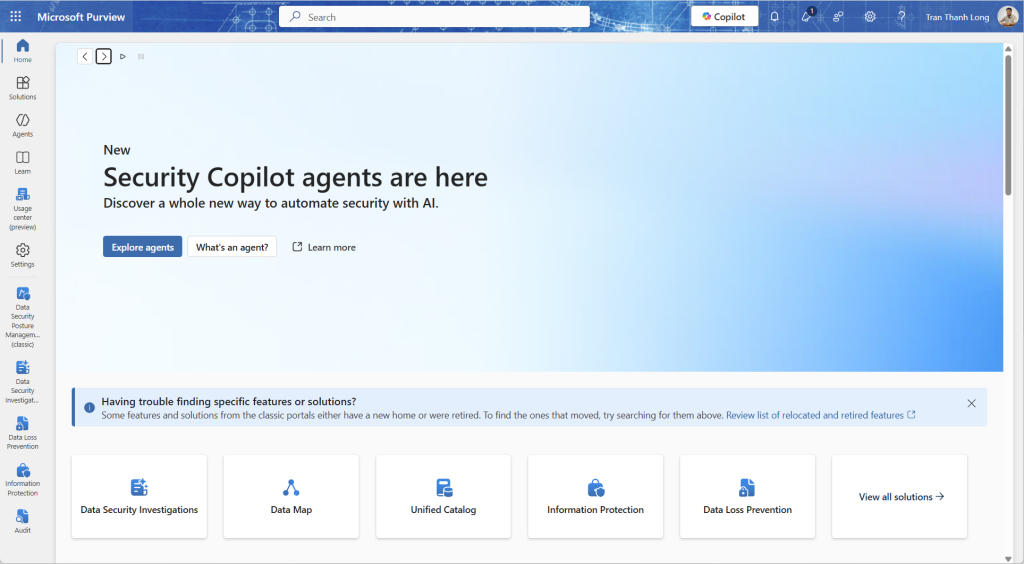
Truy cập Microsoft Purview portal Đi tới: https://purview.microsoft.com → Solutions → Data loss prevention (hoặc Data classification → Trainable classifiers để check trước).

Kiểm tra classifier “Source Code” Vào Data classification → Trainable classifiers. Tìm Source Code – status phải là Ready to use (built-in, không cần train).

Tạo DLP policy mới
- Data loss prevention → Policies → Create policy.

Chọn Custom hoặc Blank policy.

Đặt tên: ví dụ “Block Source Code Exfiltration – Java Python C#”.

Locations (chọn càng nhiều càng tốt):
- Exchange email
- Microsoft Teams chat & channel
- SharePoint sites
- OneDrive accounts
- Devices (Endpoint DLP – quan trọng nhất để chặn USB/print/upload web).


Tạo rule chính trong policy
- Tạo rule mới (hoặc edit default rule).

Condition → Content contains → Trainable classifiers → tick Source Code.


Tùy chọn nâng cao (giảm false positive):
- Kết hợp File extension = .java OR .py OR .cs OR .cpp OR .js v.v.

Thêm Keywords (match any): “public class”, “namespace”, “def “, “import “, “using System;”, “@SpringBootApplication”, tên project nội bộ.
Instance count: ≥ 1 (hoặc ≥ 10 nếu code dài).
Confidence: Medium/High.
Actions khi phát hiện
- Block people from sharing, and restrict access (chặn gửi email/Teams/SharePoint/OneDrive ra ngoài tổ chức).
- Endpoint actions (rất mạnh):
- Block: Copy to clipboard, Copy to USB removable media, Upload to cloud services (GitHub, Dropbox, Google Drive), Print, Unallowed browsers.
- Block with override (cho phép user justify nếu cần).

- User notifications: Bật policy tips + email cảnh báo.
- Incident reports: Gửi alert cho Security team.

- Mode: Test mode với simulate trước → sau 1-2 tuần mới bật Enforce.
Test và monitor
- Upload file .java/.py/.cs mẫu vào OneDrive → share external → xem có block không.
- Copy code paste vào Teams chat/email → check.
- Trên endpoint: thử copy file code sang USB hoặc upload web.
- Theo dõi: Activity explorer + DLP alerts trong Purview.