
Chào các bạn!
Sau 10 bài xây dựng Microsoft Security stack từ Identity đến Data, giờ là lúc nói về thứ đang thay đổi cách SOC analyst làm việc: Microsoft Copilot for Security.
Mình sẽ thành thật ngay từ đầu: Copilot for Security không thay thế SOC analyst. Nó không tự điều tra incident, không tự quyết định response, và đôi khi trả lời sai nếu bạn hỏi những gì nó không có dữ liệu.
Nhưng đây là những gì nó làm rất tốt:
- Tóm tắt một incident phức tạp thành 5 câu trong vòng 10 giây
- Viết KQL query từ mô tả tiếng Anh tự nhiên không cần nhớ syntax
- Giải thích đoạn PowerShell obfuscated mà analyst cần 30 phút mới hiểu
- Tổng hợp thông tin về một threat actor từ Microsoft threat intelligence
- Tạo report incident cho management chỉ bằng một prompt
Thay vì analyst mất 2-3 giờ để gather thông tin và viết tóm tắt, Copilot làm trong 2-3 phút. Analyst dùng thời gian còn lại để suy nghĩ và quyết định thứ AI chưa làm được.
Copilot for Security là gì
Copilot for Security có 2 dạng trải nghiệm:
Standalone experience tại securitycopilot.microsoft.com:
- Giao diện chat tự do, hỏi bất cứ thứ gì liên quan đến security
- Có thể upload file để phân tích (script, log, email header)
- Tạo và chạy promptbooks
- Xem lịch sử sessions
- Dành cho: deep investigation, ad-hoc queries, phân tích phức tạp
Embedded experiences, Copilot tích hợp trực tiếp vào từng product:
| Product | Tính năng AI embedded |
|---|---|
| Defender XDR | Incident summary, guided response, script analysis |
| Defender for Endpoint | Device summary, vulnerability prioritization |
| Defender for Office 365 | Email analysis, phishing triage |
| Microsoft Entra | Risky user summary, sign-in investigation |
| Microsoft Intune | Device compliance summary, policy analysis |
| Microsoft Purview | Data sensitivity summary |
| Microsoft Sentinel | Incident investigation, KQL assistance |
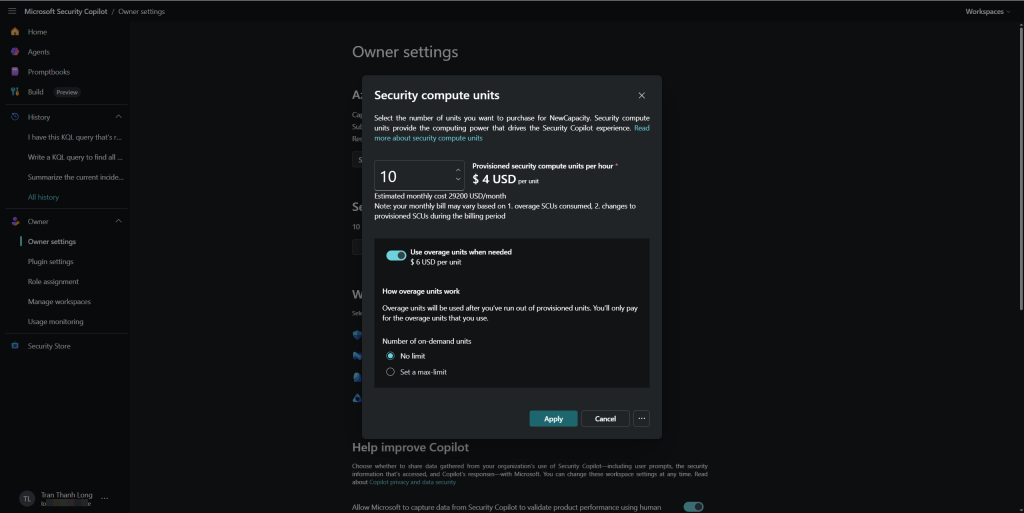
Pricing Security Compute Units (SCUs)
Copilot for Security tính phí theo Security Compute Units (SCUs), không phải per-user license.
| Cấu hình | Chi phí | Phù hợp |
|---|---|---|
| 1 SCU | $4/giờ | Lab, POC, thi thoảng dùng |
| 2-3 SCUs | $8-12/giờ | Nhóm SOC nhỏ 1-3 người |
| 5-10 SCUs | $20-40/giờ | SOC team vừa |
| 100+ SCUs | $400+/giờ | Enterprise SOC 24/7 |
SCU là Shared pool 2 analyst dùng đồng thời từ cùng một pool. Càng nhiều SCUs, phản hồi càng nhanh khi có nhiều người dùng cùng lúc.
Mẹo POC: Provision 2 SCUs, dùng 2-3 giờ để demo toàn bộ bài này = chi phí khoảng $8-12. Sau đó deprovision để không bị tính phí liên tục. Copilot cho phép provision/deprovision bất cứ lúc nào.
Điều kiện cần
| Yêu cầu | Chi tiết |
|---|---|
| Azure subscription | Để provision SCUs |
| License | Không cần license riêng, chỉ cần SCUs |
| Quyền | Global Admin hoặc Security Admin để provision |
| Data sources | Defender XDR, Entra ID, Sentinel đã setup (bài 1-10) |
| Quyền dùng | Security Operator trở lên để query Copilot |
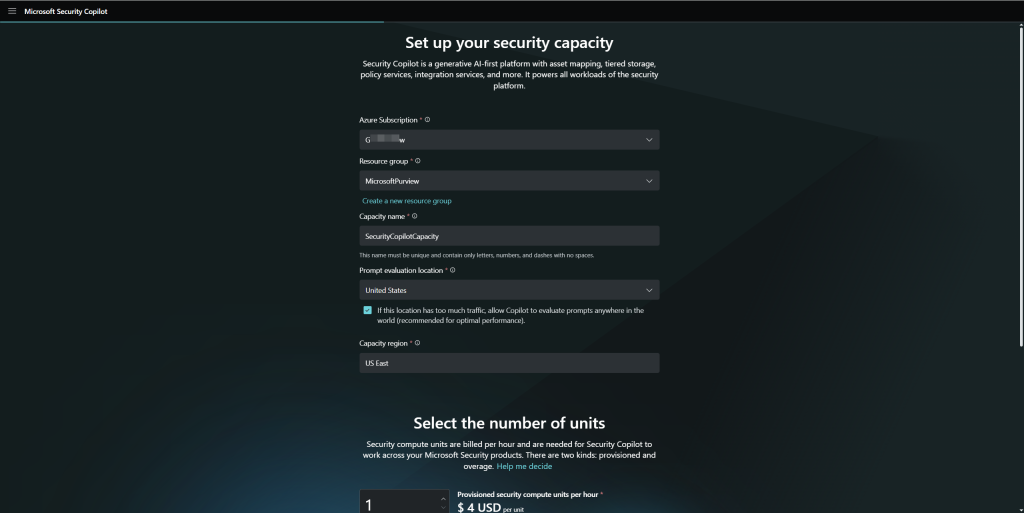
Bước 1: Provision Copilot for Security
- Vào securitycopilot.microsoft.com
- Lần đầu vào → wizard setup:
- Chọn Azure subscription
- Chọn Resource group (dùng lại rg-security-sentinel từ bài 7)
- Chọn Region East US hoặc West Europe (chọn region gần nhất hỗ trợ)
- Capacity: nhập số SCUs (bắt đầu với 2)
- Bấm Continue → Complete setup
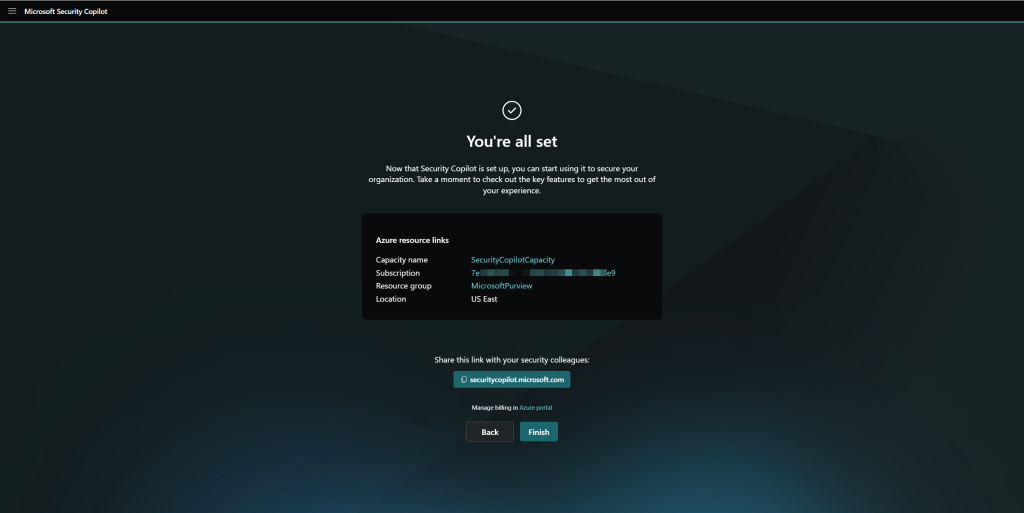
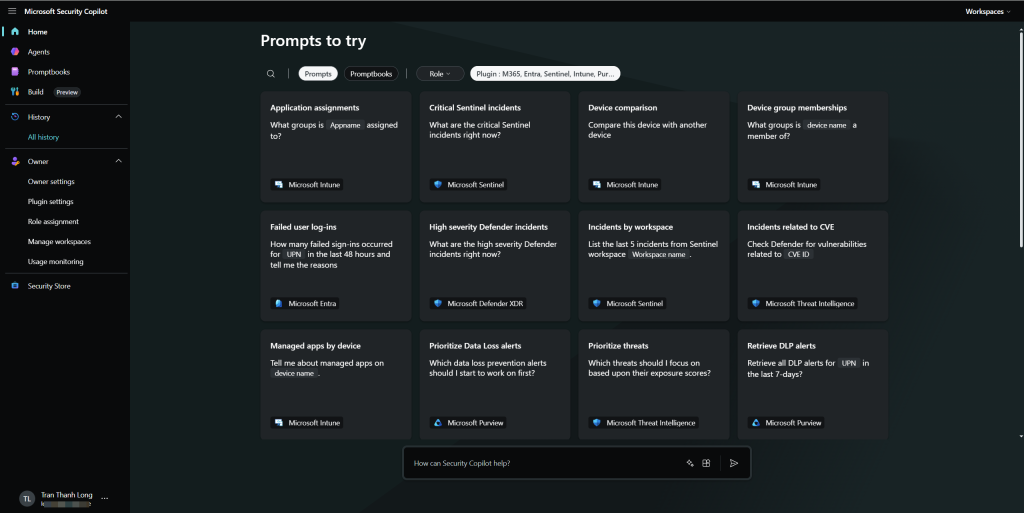
- Sau khi provision xong, trang chủ Copilot hiển thị với prompt bar ở giữa
Kiểm tra plugins đang active
- Bấm biểu tượng Plugin (góc trên phải của prompt bar)
- Xem danh sách Microsoft plugins đang enabled:
- Microsoft Defender XDR ✓
- Microsoft Entra ✓
- Microsoft Sentinel ✓
- Microsoft Defender Threat Intelligence ✓
- Natural Language to KQL ✓
Bước 2: Tóm tắt incident đầu vào 5 phút, đầu ra 30 giây
Demo đầu tiên và ấn tượng nhất: tóm tắt một incident phức tạp. Rất tiếc là thời điểm này chưa support Tiếng Việt, tham khảo thêm các ngôn ngữ Microsoft Security Copilot đã hỗ trợ.
Mở một High severity incident từ bài 5 (Defender XDR). Thay vì đọc từng alert, thử prompt này:
Prompt:
Summarize the current incident. Include: what happened, who was affected,
what the attacker did step by step, what has been done so far,
and what I should do next. 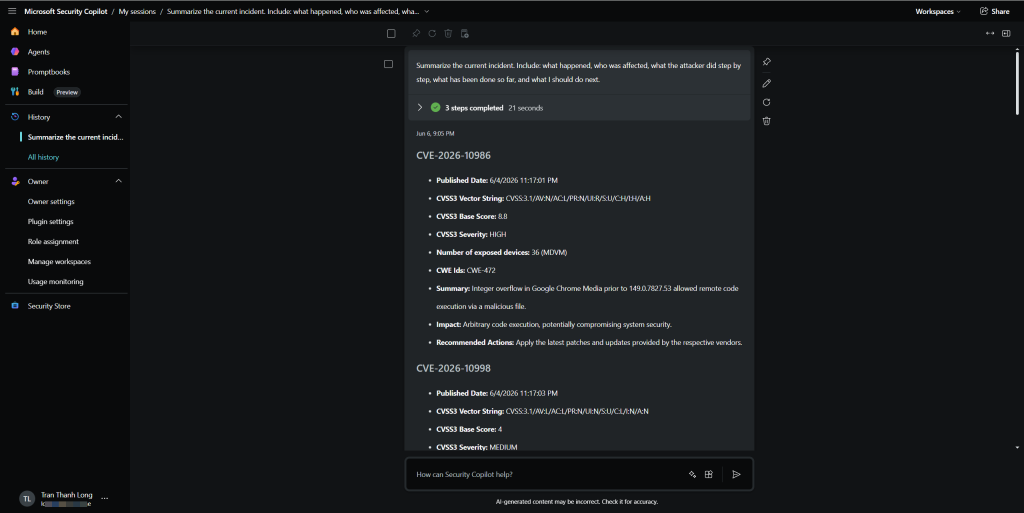
Copilot truy vấn thẳng vào Defender XDR, đọc tất cả alerts, entities, timeline và trả về tóm tắt có cấu trúc trong vài giây.
Tiếp tục điều tra bằng follow-up prompts:
Which user accounts were compromised in this incident?

Show me the full timeline of attacker actions sorted by time.
What is the risk level of the devices involved?
Has this type of attack been seen in other incidents in the last 30 days?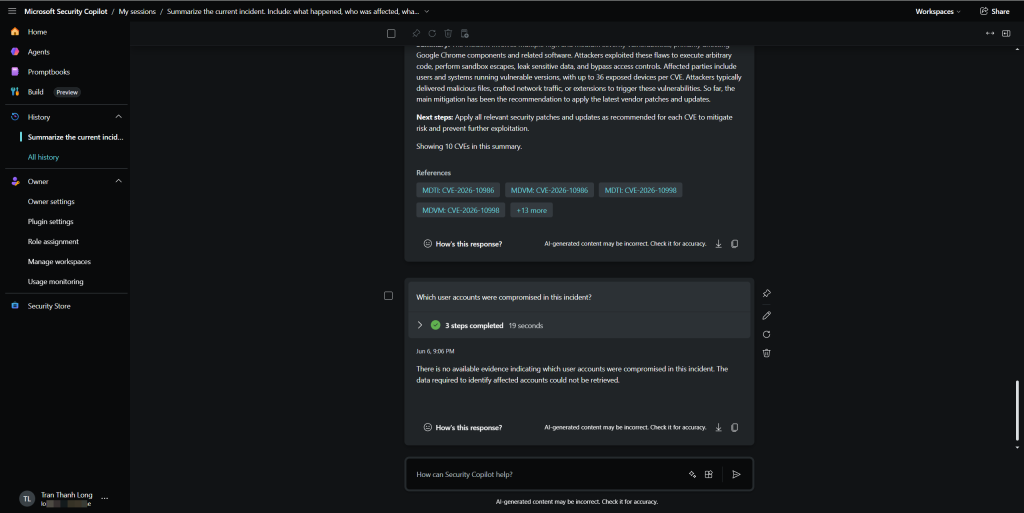
Gợi ý thôi chứ gọi promt tốn tiền lắm nha các bạn :). Đây là conversational investigation analyst không cần nhảy qua lại giữa 5 tab, chỉ cần hỏi tiếp trong cùng một session.
Bước 3: Viết KQL từ ngôn ngữ tự nhiên
Kết hợp với bài 6, nhưng giờ không cần nhớ syntax chỉ cần mô tả muốn tìm gì.
Prompt:
Write a KQL query to find all users who signed in from outside Vietnam
in the last 7 days, showing their username, IP address, country,
and whether MFA was used. Sort by most recent first.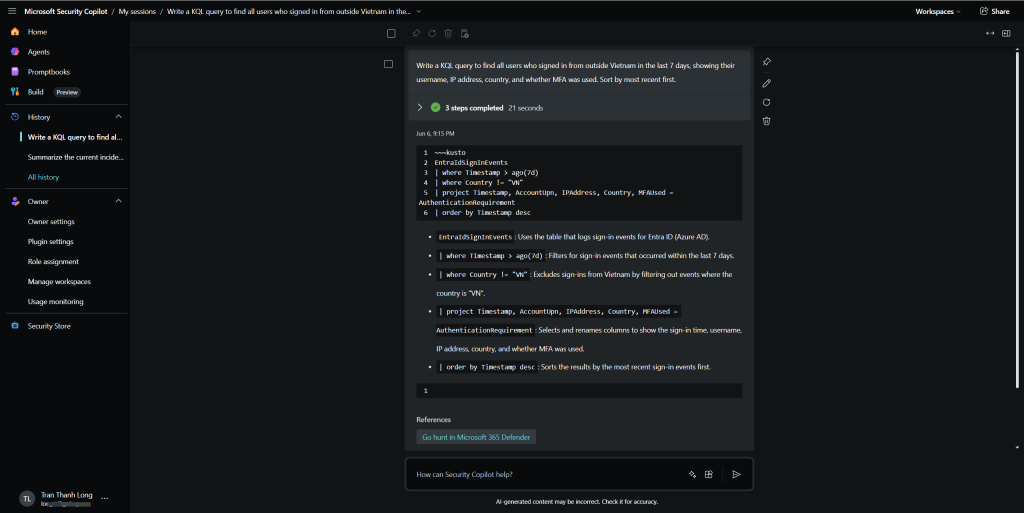
Copilot trả về query và giải thích từng dòng analyst không chỉ có query để chạy, mà còn hiểu tại sao query được viết như vậy.
Thử thêm vài prompt phức tạp hơn:
Write a KQL query to detect when a user receives a phishing email
AND then signs in from an unusual location within 2 hours.
Join EmailEvents and IdentityLogonEvents tables.
I have this KQL query that's returning too many results.
Help me add filters to reduce false positives:

DeviceProcessEvents
| where FileName == "powershell.exe"
| project Timestamp, DeviceName, ProcessCommandLine
Bước 4: Giải thích script độc hại
Đây là tính năng mình dùng nhiều nhất trong thực tế. Khi MDE phát hiện một PowerShell command line dài và obfuscated, thay vì tự decode thủ công:
Lấy command line từ alert trong Defender XDR, rồi prompt:
Explain what this PowerShell command does. Identify any malicious behavior,
what data it tries to access or exfiltrate, and what MITRE ATT&CK
techniques it uses:

powershell.exe -nop -w hidden -enc JABzAD0ATgBlAHcALQBPAGIAagBlAGMAdAAgAEkATwAuAE0AZ...
Copilot decode Base64, giải thích từng đoạn code, và đưa ra đánh giá:
- What it does: download payload từ URL X, inject vào process Y
- Data at risk: credentials, clipboard content
- MITRE techniques: T1059.001 (PowerShell), T1105 (Ingress Tool Transfer)
- Recommended actions: isolate device, check for persistence
Thử với script phức tạp hơn:
Analyze this suspicious batch script and explain what it does,
what persistence mechanisms it uses, and how to detect it:
This is a file hash: [hash value]. Is this known malware?
What family does it belong to and what does it do?
Bước 5: Phân tích phishing email
Khi có email đáng ngờ, analyst thường phải check từng element thủ công: sender reputation, link analysis, attachment hash. Copilot làm tất cả trong một prompt.
- Trong Defender for Office 365, mở một email đáng ngờ
- Bấm Summarize with Copilot (embedded experience)
Hoặc trong standalone, paste email header:
Analyze this email for phishing indicators. Check the sender,
reply-to address, links, urgency tactics, and impersonation attempts.
Provide a risk assessment and recommended action:

From: microsoft-security@micros0ft-alert.com
Subject: URGENT: Your account will be suspended
Copilot trả về:
- Sender analysis: domain mới đăng ký 3 ngày trước, không phải Microsoft domain thật
- Link analysis: URL redirect qua bit.ly đến credential harvesting page
- Tactics: urgency + impersonation + fear
- Risk level: HIGH
- Recommendation: quarantine email, block sender domain, check if user clicked
Bước 6: Nghiên cứu threat actor
Khi Sentinel hoặc Defender tạo alert có mention đến một threat actor (ví dụ: Midnight Blizzard, Lazarus Group), Copilot kết nối với Microsoft Defender Threat Intelligence để cung cấp context đầy đủ.
Prompt:
Tell me about the threat actor "Midnight Blizzard". What are their
typical TTPs, what industries do they target, what tools do they use,
and what indicators of compromise should I look for in my environment?
We detected use of Mimikatz on one of our servers.
What is the typical attack chain after Mimikatz is used?
What should I look for next in my environment?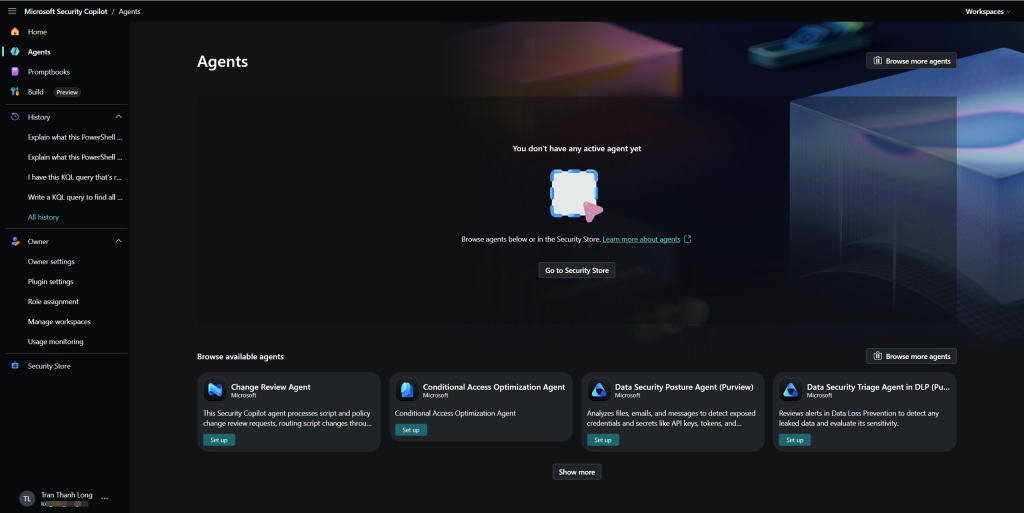
Bước 7: Promptbooks chuẩn hóa quy trình điều tra
Promptbooks là chuỗi prompts được lưu và chạy theo thứ tự, tương tự playbook nhưng cho AI investigation. Thay vì mỗi analyst phải nhớ hỏi những gì, promptbook chuẩn hóa quy trình.
Xem promptbooks có sẵn
- Bấm biểu tượng Promptbook → Promptbook library
- Microsoft cung cấp sẵn một số promptbooks:
- Incident investigation
- Threat actor profile
- Vulnerability impact assessment
- User risk assessment
Tạo Custom promptbook quy trình triage incident
- + New promptbook
- Đặt tên:
SOC Triage - Standard Incident Investigation - Thêm các prompts theo thứ tự:
Prompt 1:
Summarize this incident in 5 sentences: what happened, when, who was affected,
current status, and severity assessment.
Prompt 2:
List all user accounts involved in this incident. For each user, provide:
- Current risk level in Entra ID
- Last sign-in location and time
- Whether MFA is configured
- Any active PIM assignments
Prompt 3:
List all devices involved in this incident. For each device, provide:
- MDE risk score
- Last seen time
- OS version and patch status
- Top 3 vulnerabilities if any


Prompt 4:
Based on the evidence so far, what MITRE ATT&CK techniques were used?
Map each technique to the specific evidence found.
Prompt 5:
What are the recommended immediate response actions for this incident?
Prioritize by urgency and provide specific steps for each action.
Prompt 6:
Generate an executive summary of this incident suitable for sending
to a CISO or management. Use non-technical language, focus on
business impact and current status.
- Save promptbook → Run trên incident cụ thể
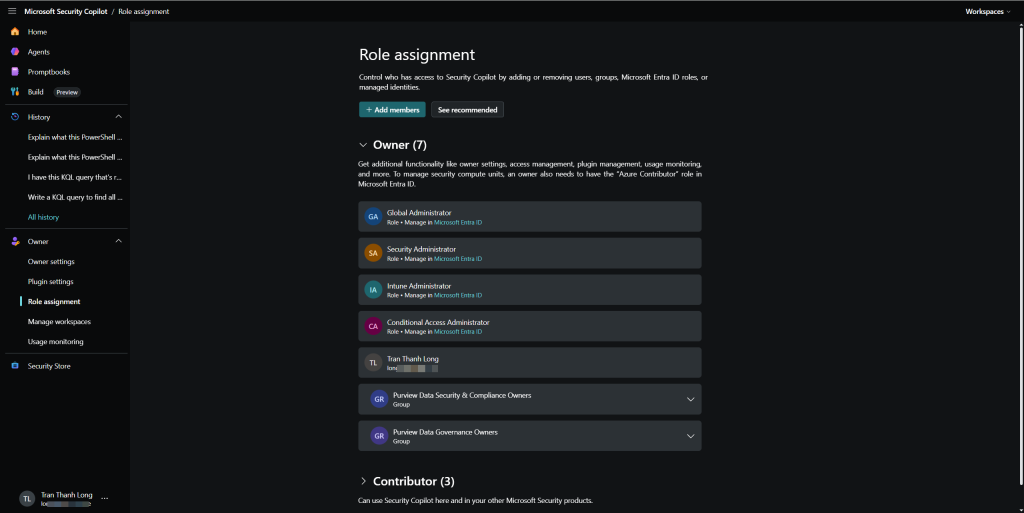
Bước 8: Embedded experiences trong Defender XDR
Quay lại Defender XDR để xem Copilot tích hợp như thế nào.
Incident summary trong XDR
- Mở incident trong Defender XDR
- Góc trên phải → nút Copilot (hoặc icon sparkle ✨)
- Panel Copilot mở ra bên phải, tự động tóm tắt incident
Guided response
Bên dưới summary → Guided response: Copilot đề xuất các actions cụ thể dựa trên context của incident này:
Recommended actions:
1. [Isolate device] WIN10-CORP-001 — device has active malware
2. [Reset password] john.doe@contoso.com — credential may be compromised
3. [Run investigation] Check for lateral movement from WIN10-CORP-001
4. [Quarantine emails] 3 related phishing emails still in inbox
Mỗi action có nút thực hiện ngay, analyst click một phát là xong, không cần mở tab khác.
Script analysis trong device timeline
- Vào device timeline của một device bị ảnh hưởng
- Tìm event có PowerShell hoặc script
- Bấm Analyze → Copilot giải thích script ngay trong context
Risky user investigation trong Entra ID
- Vào Entra admin center → Protection → Risky users
- Click vào một user rủi ro → Summarize with Copilot
- Copilot tóm tắt: tại sao user này được đánh dấu risky, các sign-in bất thường, lịch sử security events
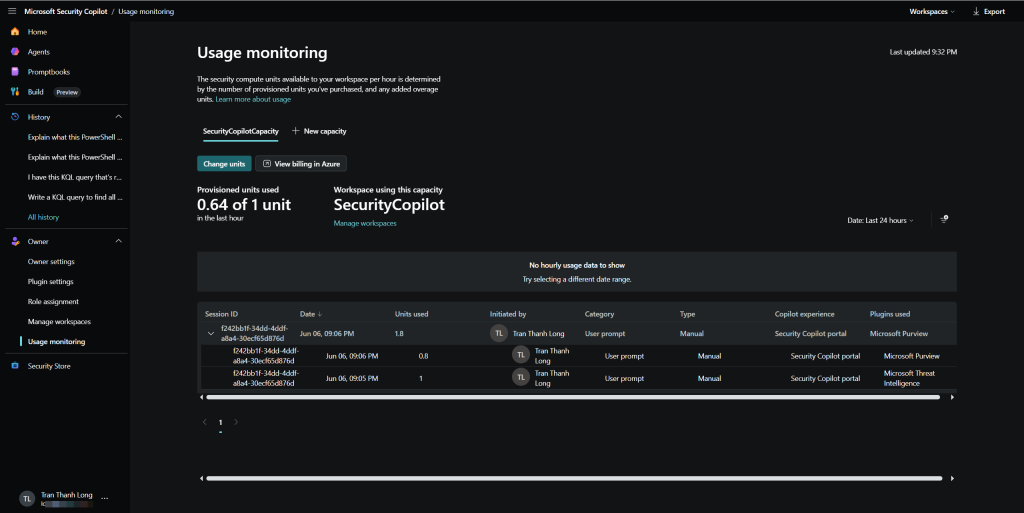
Bước 9: Plugins mở rộng Copilot với dữ liệu bên ngoài
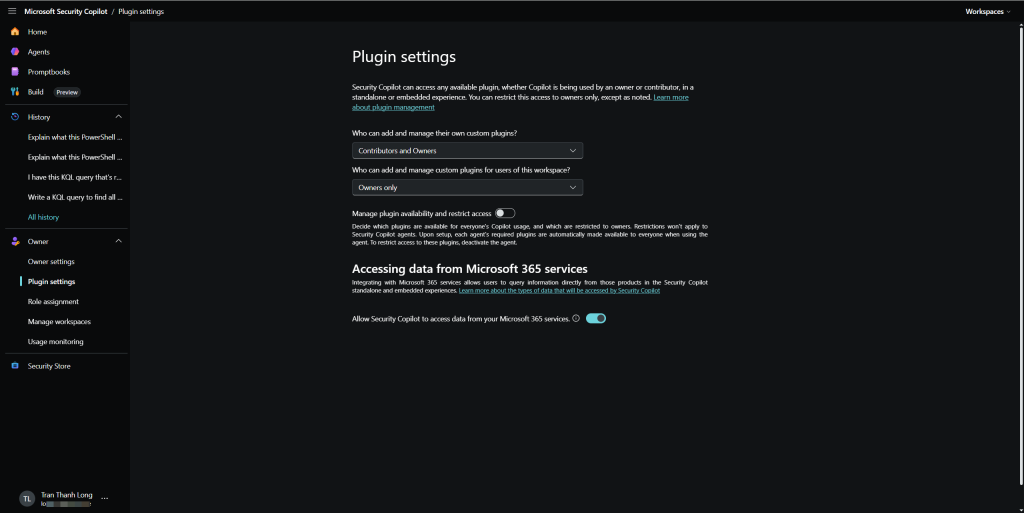
Ngoài Microsoft plugins, Copilot có thể kết nối với third-party tools.
Plugin có sẵn trong marketplace
- Plugin → See all → tab Other plugins
- Một số plugins đáng chú ý:
| Plugin | Dùng để |
|---|---|
| Shodan | Query về internet-exposed assets |
| Cyware | Threat intelligence feed |
| GreyNoise | IP reputation và internet noise |
| Recorded Future | Threat intelligence cao cấp |
| Splunk | Query Splunk SIEM nếu đang dùng song song |
Tạo custom plugin với công cụ nội bộ
Nếu doanh nghiệp có ticketing system (ServiceNow, Jira) hoặc CMDB riêng, có thể tạo custom plugin để Copilot query thẳng vào:
- Plugin → Upload plugin → chọn API
- Upload OpenAPI spec file của internal tool
- Sau đó có thể prompt:
Check the CMDB. Who is the owner of server WIN-SQL-001 and
what is the business criticality of this server?
Create a ServiceNow ticket for this incident with high priority,
assign to SOC team, and include the Copilot summary as description.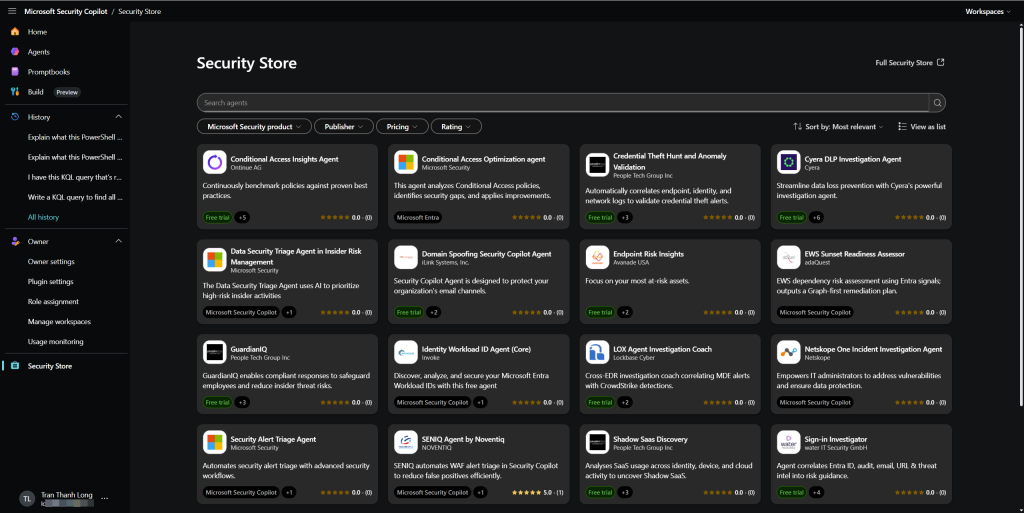
Bước 10: Audit log và responsible AI settings
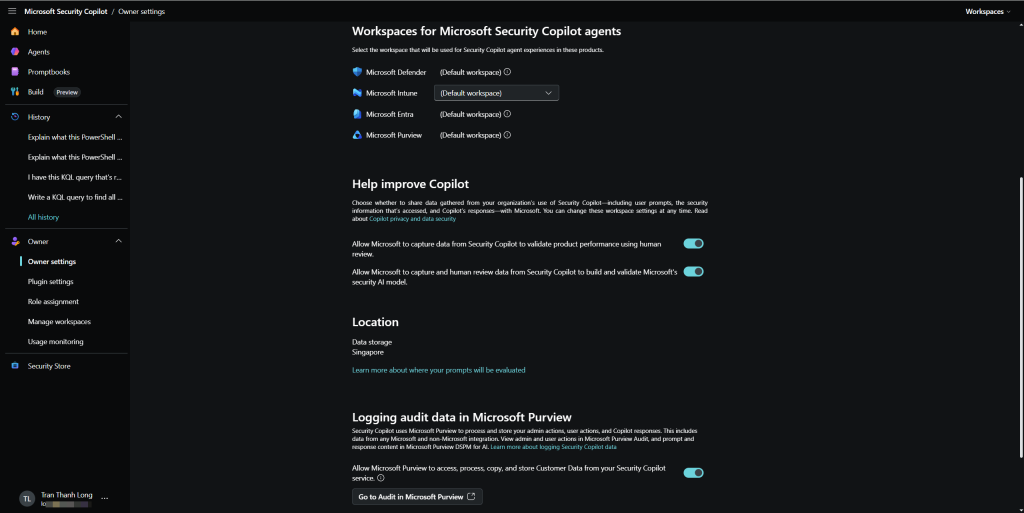
Mọi prompt và response trong Copilot for Security đều được ghi log, quan trọng cho accountability và compliance.
- Vào Copilot for Security → Owner settings → Audit logs
- Xem danh sách sessions: ai hỏi gì, khi nào, kết quả gì
Responsible AI controls
- Owner settings → Data security and privacy
- Các controls quan trọng:
- Customer data processing: Copilot không dùng data của bạn để train model
- Allow Microsoft to capture prompts: Off (khuyên dùng privacy)
- Plugins access: kiểm soát plugin nào được phép dùng với data nhạy cảm
Copilot for Security làm tốt và chưa tốt
Sau thời gian dùng thử, mình rút ra một số kết luận:
Làm rất tốt:
- Tóm tắt và giải thích context, tiết kiệm 60-70% thời gian gather information
- Decode và giải thích obfuscated scripts thứ trước đây mất 30-60 phút
- Generate KQL cho queries đơn giản đến trung bình
- Tổng hợp threat intelligence về threat actors và CVEs
- Viết executive summary và incident reports
Cần thận trọng:
- KQL phức tạp cần review kỹ trước khi chạy trong production, đôi khi syntax sai hoặc logic không đúng
- Thông tin threat intelligence có thể outdated, cross-check với nguồn khác
- Quyết định response Copilot đề xuất nhưng analyst phải chịu trách nhiệm quyết định cuối
- False confidence response nghe có vẻ chắc chắn dù data không đủ, luôn verify
Quy tắc: Copilot là Junior Analyst rất thông minh làm được nhiều việc, nhưng Senior Analyst vẫn cần review và quyết định.
Ước tính ROI thực tế
Với SOC team 3 người, làm việc 8 giờ/ngày, xử lý 20-30 alerts/ngày:
| Task | Trước Copilot | Sau Copilot | Tiết kiệm |
|---|---|---|---|
| Incident triage | 15 phút/incident | 3 phút | 80% |
| Script analysis | 30-45 phút | 5 phút | 85% |
| Incident report | 45 phút | 10 phút | 78% |
| KQL query viết mới | 20 phút | 5 phút | 75% |
| Threat actor research | 30 phút | 5 phút | 83% |
Với 10 SCUs ($40/giờ) cho SOC hoạt động 8 giờ/ngày = $320/ngày. Nếu tiết kiệm được tương đương 1-1.5 analyst/ngày (giá trị $200-400/ngày), ROI gần như break-even ngay từ ngày đầu, chưa tính đến việc analyst có thể xử lý nhiều incidents hơn và phát hiện threat nhanh hơn.
Tổng kết những gì đã làm
Sau bài này, bạn đã biết:
- Provision Copilot for Security với SCUs phù hợp ngân sách
- Tóm tắt incident trong vài giây thay vì vài giờ
- Viết KQL từ mô tả tự nhiên, không cần nhớ syntax
- Giải thích malware script decode obfuscated PowerShell
- Phân tích phishing email tự động
- Promptbooks chuẩn hóa quy trình điều tra cho cả team
- Embedded experiences trong Defender XDR, Entra ID
- Audit log và responsible AI controls
Tài liệu tham khảo
- Microsoft Copilot for Security documentation
- Copilot for Security pricing
- Promptbooks overview
- Plugins in Copilot for Security
- Responsible AI in Copilot for Security
Bài viết có gì chưa rõ hoặc bạn gặp lỗi ở bước nào, cứ để lại comment bên dưới nhé!
Long Trần | khongkho.com